
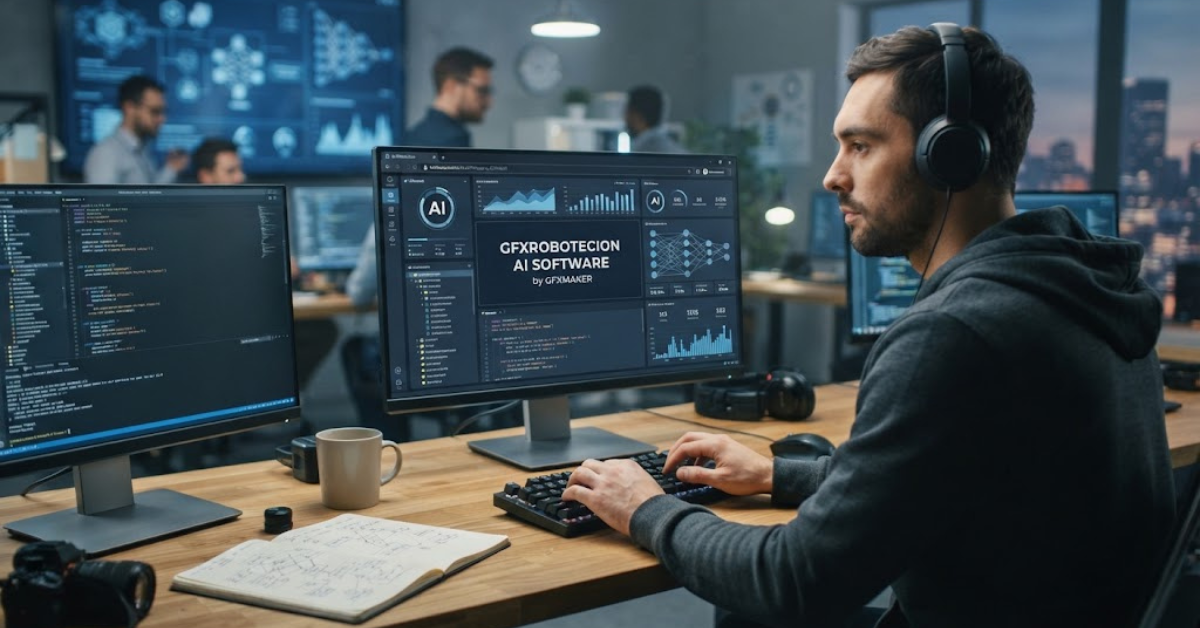
GFXRobotection AI Software by GFXMaker: Guide
When a new AI tool promises to protect digital artwork while making creative work easier, it naturally attracts attention. GFXRobotection AI software by GFXMaker is one such name, and online descriptions present it as a technology focused on protecting digital assets from unauthorized use and evolving online threats.
But there is an important detail worth knowing before taking those descriptions at face value: public information about the product is limited and inconsistent. GFXMaker describes GFXRobotection as an AI-based digital asset protection solution, while other websites make additional claims about artwork monitoring, invisible identification, AI-scraping protection, and graphic design capabilities.
So what exactly is GFXRobotection, how is it supposed to work, and should creators trust it with valuable work? Here’s a closer look at the available information, including what is documented and what remains unverified.
What Is GFXRobotection AI Software by GFXMaker?
GFXRobotection AI software by GFXMaker is presented online as a technology solution for protecting digital and creative assets.
According to GFXMaker’s published description, the software is designed around AI-assisted security, real-time threat detection, proactive monitoring, automated responses, and analytics. The stated goal is to help protect creative projects and intellectual property from online threats and unauthorized use.
In simpler terms, the concept is to give designers and other digital creators another layer of protection after their work leaves their computer and begins circulating online.
However, it is important to separate product descriptions from independently verified capabilities. Public third-party coverage has pointed out that technical documentation, a clearly documented public application, and independent testing of several advertised features are difficult to verify.
How Does GFXRobotection Work?
The published descriptions suggest that GFXRobotection relies on automated analysis rather than traditional, purely manual security controls.
GFXMaker says its system can continuously analyze activity, identify potential threats, and respond automatically. It also describes adaptive learning, which is intended to allow the software to respond to changing security risks.
The proposed workflow can be understood in three broad stages:
- Monitor: The system watches for potentially suspicious activity.
- Analyze: AI-driven algorithms evaluate activity and attempt to distinguish threats from normal behavior.
- Respond: Automated security actions can be triggered when a potential threat is identified.
That sounds straightforward, but the exact underlying technology is not publicly documented in enough detail to independently reproduce or test those claims.
Key Features of GFXRobotection AI Software
Several features are repeatedly associated with the product.
Real-Time Threat Detection
GFXMaker describes real-time threat detection as one of the software’s core capabilities. The stated purpose is to identify potentially dangerous activity before it causes significant damage.
For a creator, the appeal is obvious. Instead of discovering a problem after a design has already been copied or compromised, automated monitoring could potentially provide an earlier warning.
Proactive Monitoring
The software is also described as providing continuous monitoring rather than waiting for users to manually investigate incidents.
This type of approach is common in modern cybersecurity because threats can develop quickly. Early detection can give users more time to investigate an unusual event and decide what action to take.
Automated Responses
Another advertised capability is automated response.
Rather than requiring users to react manually to every detected event, the system is described as being capable of taking predefined actions when suspicious activity is identified.
The exact actions available, however, are not clearly documented in the publicly accessible product information.
Analytics and Reporting
GFXMaker also mentions comprehensive analytics designed to help users understand security incidents and assess the status of protected assets.
For businesses managing large numbers of creative files, useful reporting could be particularly valuable because manually tracking every security event becomes increasingly difficult as a library grows.
Customizable Settings
The published description also refers to customizable settings and dashboards intended to make the software easier to manage.
The idea is relatively simple: instead of forcing every user into the same security configuration, a creator or organization could adjust the system according to its workflow.
GFXRobotection for Graphic Designers
Graphic designers have a particular reason to be interested in digital asset protection.
A finished design can be copied, redistributed, modified, or incorporated into another project without the original creator’s permission. Once an image is publicly available, controlling every copy becomes extremely difficult.
This is why creators commonly use a combination of:
- Visible watermarks
- Copyright notices
- Access controls
- Low-resolution previews
- Secure file-sharing systems
- Copyright registration
- Monitoring services
GFXRobotection is presented as another layer within this broader protection strategy rather than something that should automatically replace every existing security measure.
A sensible creator should think in terms of layered protection, not a single magic tool.
Can GFXRobotection Protect Artwork From AI Scraping?
This is one area where caution is especially important.
Several articles describe GFXRobotection as a tool intended to help protect artwork against AI scraping, unauthorized copying, and related forms of digital misuse.
However, publicly available independent evidence demonstrating the effectiveness of those specific capabilities is limited.
That distinction matters because protecting artwork from AI-related scraping is technically challenging. A tool can potentially monitor websites, identify similarities, add identifying information, or make unauthorized use easier to investigate, but no software should be assumed to make publicly displayed artwork impossible to copy.
If a vendor claims that a tool can prevent AI systems from accessing or learning from an image, users should look for detailed technical documentation explaining exactly how that protection works.
Is GFXRobotection the Same as Graphic Design Software?
Not necessarily.
Some websites use the GFXRobotection name when discussing AI graphic design and creative workflows, while other descriptions focus primarily on security and digital asset protection.
This creates some confusion.
Based on the available information, it is safer to describe GFXRobotection primarily as a digital asset protection and security concept associated with GFXMaker, rather than confidently presenting it as a fully documented replacement for established graphic design applications.
If you are looking specifically for tools to create illustrations, edit photographs, build logos, or produce layouts, verify whether the particular version of GFXRobotection you are considering actually provides those functions.
Is GFXRobotection AI Software Safe?
There is not enough independent evidence to give GFXRobotection a blanket safety certification.
The official-looking websites and published articles establish that the name is being used online, but that is different from independently verifying the security of a downloadable application.
This distinction is especially important for security software because such a program could potentially have access to sensitive files, credentials, network activity, or creative assets.
Before installing unfamiliar software, check:
- The developer or publisher
- The official download location
- Digital signatures
- Privacy documentation
- Terms of service
- Requested permissions
- Version information
- Independent security scans
- Whether the installer has been reviewed by reputable security services
If any of those details are missing, don’t rush the installation.
Is GFXRobotection a Legitimate Product?
The most accurate answer is the product concept is documented online, but several important product claims remain difficult to independently verify.
GFXMaker has a dedicated article describing GFXRobotection and its proposed security features. The GFXRobotection website itself also exists and publishes technology-related content, including articles specifically about GFXRobotection.
However, third-party investigation has noted the absence of easily verifiable evidence such as a clearly documented public application, official download package, consistent product documentation, and independently tested performance.
Therefore, it would be premature to describe every advertised capability as proven.
GFXRobotection Pricing and Plans
Pricing information is another area where users should verify details directly.
One GFXMaker article describes basic, standard, and premium plans, along with a claimed trial period. However, independent reporting has found the public pricing information inconsistent and difficult to verify as a current official pricing structure.
That means you should not assume that an article mentioning a particular monthly price, annual discount, or free trial represents the current commercial offer.
Before paying for any software, confirm:
- The current price.
- What features are included.
- Whether billing is monthly or annual.
- Whether a free trial actually exists.
- The cancellation and refund terms.
- Whether there are limits on storage, users, or protected assets.
Should You Download GFXRobotection?
If you’re searching for a GFXRobotection AI software download, be careful about third-party installers.
An obscure download website can use the name of legitimate software without actually distributing the original application. That creates a risk of downloading modified software, bundled programs, adware, or malware.
A safer approach is to find the developer’s verified distribution channel first.
Before downloading, look for:
- A clearly identified publisher
- A secure official domain
- A recognizable software version
- Installation documentation
- A valid digital signature
- Clear privacy terms
- Independent security information
If you cannot establish where the installer came from, don’t run it simply because the filename contains “GFXRobotection.”
Who Could Benefit From GFXRobotection?
If the advertised capabilities are available as described, the concept could be particularly relevant to people who frequently publish valuable digital assets online.
Potential users include:
- Graphic designers
- Freelance artists
- Digital illustrators
- Creative agencies
- E-commerce businesses
- Marketing teams
- Brand owners
- Content creators
- Businesses with large digital asset libraries
For someone who rarely publishes original artwork, however, a sophisticated protection platform may provide less value than simple access controls, backups, copyright notices, and secure sharing practices.
GFXRobotection vs Traditional Watermarks
It is useful to understand that digital asset protection involves more than putting a logo across an image.
A visible watermark can discourage casual copying, but it can also be cropped or obscured. Secure sharing systems, access controls, monitoring, and ownership records address different parts of the problem.
A practical protection strategy might look like this:
| Protection method | Main purpose |
| Visible watermark | Discourage casual unauthorized use |
| Low-resolution preview | Reduce the value of stolen previews |
| Access-controlled sharing | Limit who can view files |
| Digital asset monitoring | Help identify unauthorized appearances |
| Copyright registration | Establish formal ownership records |
| Backups | Protect against accidental loss |
| Security software | Protect files and devices from cyber threats |
GFXRobotection should therefore be evaluated according to the specific problem it solves rather than simply being compared with a watermarking tool.
What Should You Verify Before Using It?
Because public information remains limited, a little due diligence is worthwhile.
1. Verify the official source
Make sure the website offering the software is genuinely associated with GFXMaker.
2. Ask for technical documentation
Look for information explaining how the AI detection, monitoring, and protection mechanisms actually operate.
3. Check privacy practices
If you upload artwork to a cloud-based service, understand what happens to those files and whether they are retained.
4. Test with non-sensitive files
If a legitimate trial is available, start with work that would not create serious consequences if something went wrong.
5. Look for independent evidence
Marketing claims are useful for understanding intended features, but independent testing provides a stronger basis for judging performance.
Frequently Asked Questions
What is GFXRobotection AI software by GFXMaker?
GFXRobotection AI software by GFXMaker is described online as an AI-assisted digital asset protection solution designed to help protect creative work and digital assets from online threats and unauthorized use. GFXMaker describes features including threat detection, monitoring, automated responses, and analytics.
What does GFXRobotection do?
According to GFXMaker, it is designed to monitor digital environments, identify potential threats, provide security analytics, and automate certain responses. Some third-party articles also associate the name with artwork protection and monitoring, although those additional capabilities have not been independently demonstrated to the same degree.
Is GFXRobotection an AI graphic design tool?
Some websites describe GFXRobotection in the context of AI graphic design, while others focus primarily on digital security and asset protection. Because these descriptions differ, users should verify the exact features of the current product before treating it as a conventional graphic design application.
Can GFXRobotection prevent artwork theft?
No software should automatically be assumed to make digital artwork impossible to steal. GFXMaker presents GFXRobotection as a protection system, while third-party articles make stronger claims about monitoring and unauthorized-use detection. Those capabilities should be independently verified before relying on the software for high-value intellectual property.
Can GFXRobotection protect artwork from AI scraping?
Some online descriptions associate the product with protection against AI scraping and unauthorized AI use. However, publicly available independent evidence demonstrating exactly how effective those protections are remains limited.
Is GFXRobotection free?
Public descriptions have mentioned different pricing structures and trial options, but current pricing is not sufficiently consistent to state one definitive price. Verify the current offer directly with the official provider before purchasing.
Where can I download GFXRobotection?
Use only a download source that you can verify as belonging to the actual developer. Avoid random third-party executable files using the GFXRobotection name, particularly when the publisher, version, or digital signature cannot be established.
Who is GFXRobotection designed for?
The product is primarily discussed in relation to digital creators, designers, agencies, brands, and organizations that need to protect creative assets. The value will depend on how much original digital work the user creates and shares online.
Conclusion: GFXRobotection AI Software by GFXMaker
GFXRobotection AI software by GFXMaker is an interesting example of how AI and digital security are increasingly being combined around the problem of protecting creative work.
GFXMaker describes the software as offering capabilities such as real-time threat detection, proactive monitoring, automated responses, adaptive learning, and security analytics. Other online sources associate it with broader artwork protection, digital fingerprinting, and monitoring for unauthorized use.
The important caveat is that not every claim has been independently verified. Public information about the product’s technical implementation, download availability, pricing, and real-world performance remains limited or inconsistent.
For that reason, creators should approach GFXRobotection with interest but also with sensible caution. Verify the publisher, download source, privacy practices, pricing, technical documentation, and independent security information before entrusting valuable artwork to the platform.
The broader lesson is simple: protecting digital assets rarely comes down to one piece of software. Strong passwords, secure sharing, backups, copyright practices, access controls, and appropriate monitoring can all work together to give creative work a much stronger layer of protection.